Importing
Importing your first ebook or audio
Turn the German books, podcasts, audiobooks, and videos you actually want into read-along lessons. EPUB, PDF, MP3, whole audiobooks, and YouTube.
Why bring your own content
A built-in library, however good, is somebody else’s taste. The moment you can read at all, the fastest way forward is volume — and you only get volume from material you genuinely want to finish. The novel a friend recommended, the podcast you already follow in your own language, the audiobook you’ve been meaning to start: those carry you through the hard parts because you care how the story ends.
That’s what importing is for. You hand Apilingual something real, and it comes back as a lesson where every word is one tap from its meaning and one tap from being tracked. Nothing is dumbed down. The text stays exactly as the author wrote it — you just get a safety net underneath it.
There are five ways to bring content in. Here’s each one, and what you actually get.
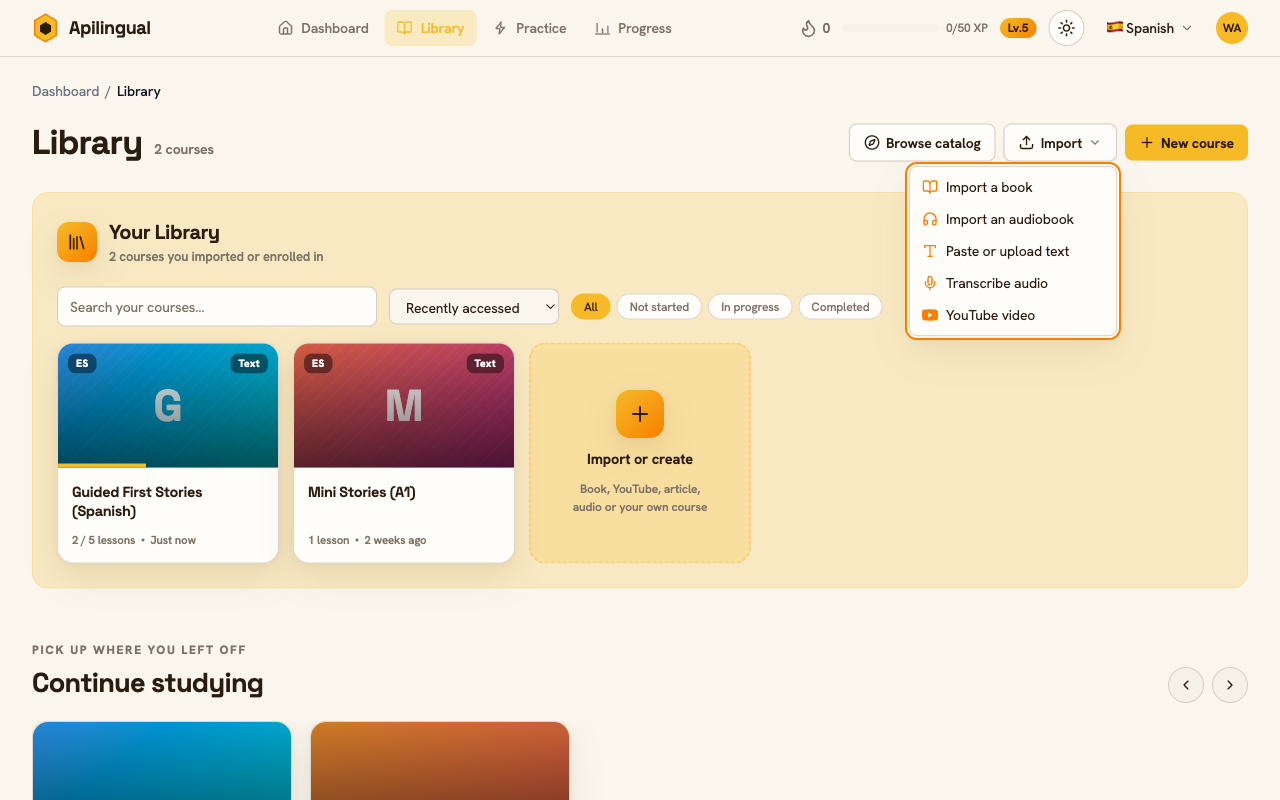
Text: paste or upload
The simplest case. Copy an article, a blog post, a chapter someone sent you — anything you can select — and paste it in. Or upload a plain text file. Apilingual turns it into a single lesson right away: no chapters to detect, no audio to process. This is the fastest way to get reading, and a good first test if you’ve never imported before. Paste a paragraph of something at your level and see the reader light up.
Ebooks: EPUB and PDF
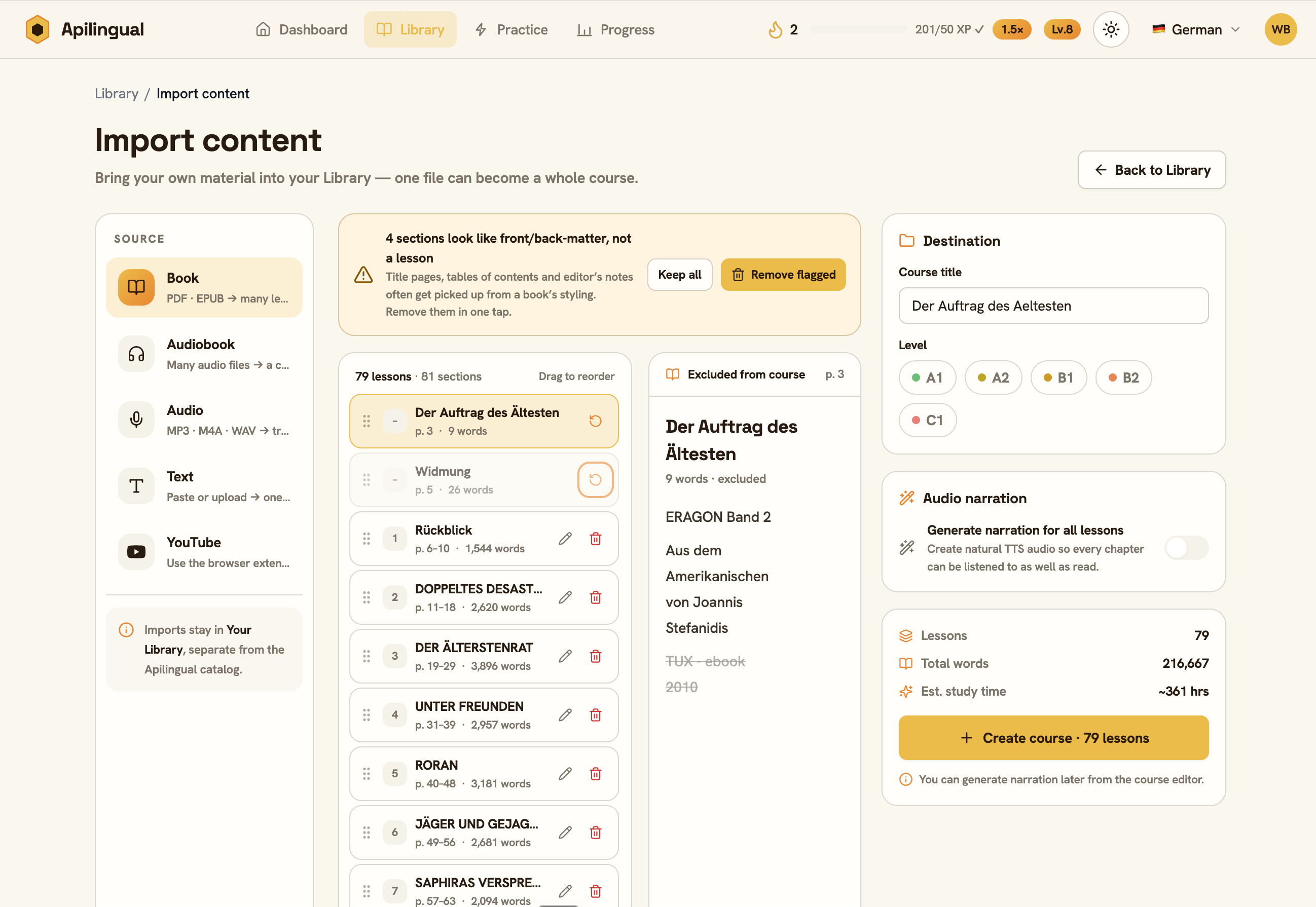
This is the one most people come for. Drop in an EPUB and Apilingual reads its structure — it builds a whole course, one lesson per chapter, so a 300-page novel arrives already broken into sittings rather than one intimidating wall. You read it the way you’d read the book, a chapter at a time, with every word tracked as you go.
PDFs work too, with one honest caveat: the PDF needs a real text layer — the kind you get when the book was exported from a document, where you can select and copy the words. Many PDFs are actually just photographs of pages, and a scanned or image-only PDF will be rejected. We don’t run OCR, so there’s nothing under the picture for the reader to attach to. If you’re not sure which kind you have, try selecting a sentence in your PDF viewer: if the text highlights, you’re fine; if you can only draw a box over an image, it won’t import. When you have the choice, reach for the EPUB.
Audio: a single episode
Upload an audio file — MP3, M4A, or WAV — and Apilingual transcribes it and builds a read-along lesson. As it plays, the current sentence highlights, so you’re reading and listening at once, which is exactly the pairing that makes spoken language start to stick. Tap any word for its meaning without losing your place. A podcast episode, a single chapter ripped from an audiobook, a voice memo from a tutor — if it’s speech, it becomes something you can read along to.
Audiobooks: import the whole thing
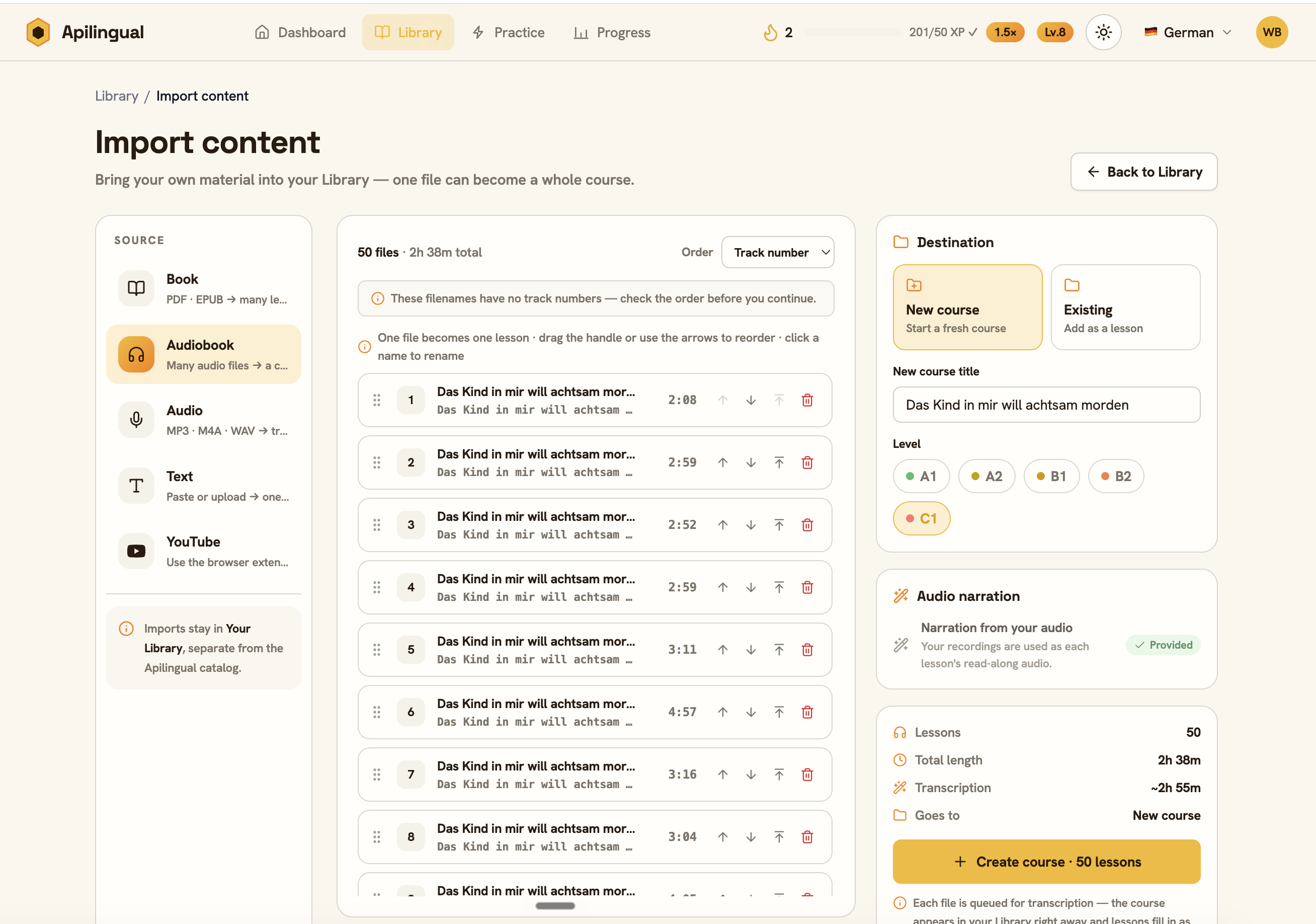
An audiobook usually isn’t one file — it’s dozens. Rather than uploading them one at a time, use bulk audiobook import: select all the files together and Apilingual builds a single course from them, one lesson per file, each transcribed with its own read-along. You end up with the entire book laid out as a sequence of listenable, readable lessons, in order, ready to work through at whatever pace suits you. It’s the same magic as the single-audio import, scaled to a book-length listen.
YouTube: via the browser extension
YouTube works a little differently. Instead of uploading anything, you send videos to your library straight from the page using the Apilingual browser extension in Chrome. Install it once, then a button appears on YouTube videos — one click sends the video in, and it shows up as a read-along lesson built from the captions, the same as any other import. It’s the only way to bring YouTube in, and it’s quick to set up; a fuller walkthrough of the extension will come later, but the listing above is all you need to get started.
What to expect from transcription
Automatic transcription is very good, and it is not perfect. On clear, single-speaker audio it’s close to flawless. On fast dialogue, heavy accents, background music, or overlapping voices, expect the occasional wrong word, a missed name, or a sentence boundary in a slightly odd place. This is worth saying plainly because it’s normal, not a sign something broke.
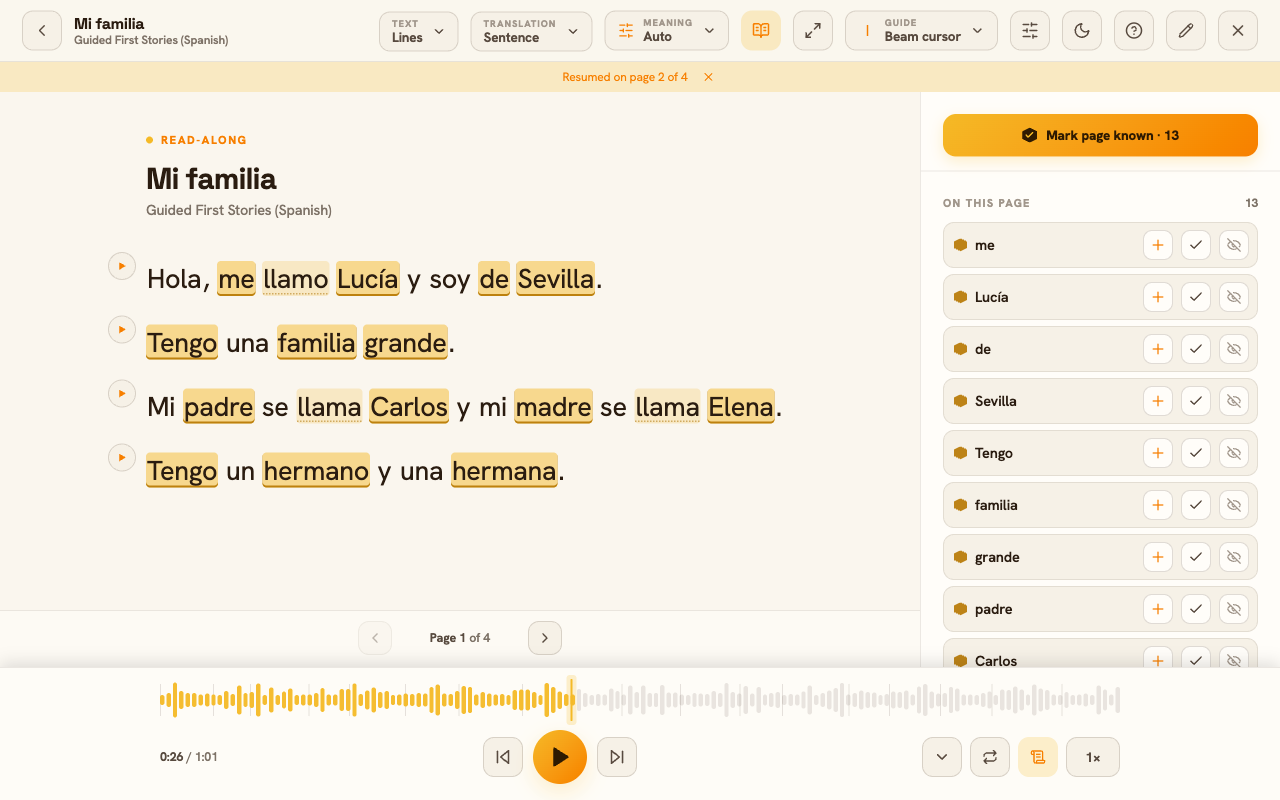
In practice a small error rarely matters — you’re listening at the same time, so your ear fills the gap, and the point is comprehension, not a courtroom transcript. If a stray word gets saved to your vocabulary, you can adjust it later. For your first audio import, pick something clean and well-recorded; save the noisy interview for once you trust the flow.
Choosing something at the right level
The best import is one you can mostly follow. A useful rule of thumb: aim for roughly one unknown word per sentence. Much more than that and you spend the whole time tapping instead of reading; much less and there’s little new to learn. Because Apilingual tracks every word you know, it can tell you how a text sits against your vocabulary before you commit — lean on that when you’re deciding.
If you’re hunting for material, public-domain sources are a gift. Project Gutenberg offers tens of thousands of free EPUBs, and LibriVox has free public-domain audiobooks — a natural pairing when you want to read and listen to the same book. These same sources also feed the built-in Discover collections, so anything you find there is fair game to import directly.
A note on what’s yours
Import what you own or what’s free to use. Apilingual processes your files to build your lessons and doesn’t redistribute them — your uploads are for your account, not a shared library. Bring your own book, and it stays your own book.